
- AdTech
- AI
- MarTech
- Software Engineering
Sanddev Tech Stack: Technologies We Build With
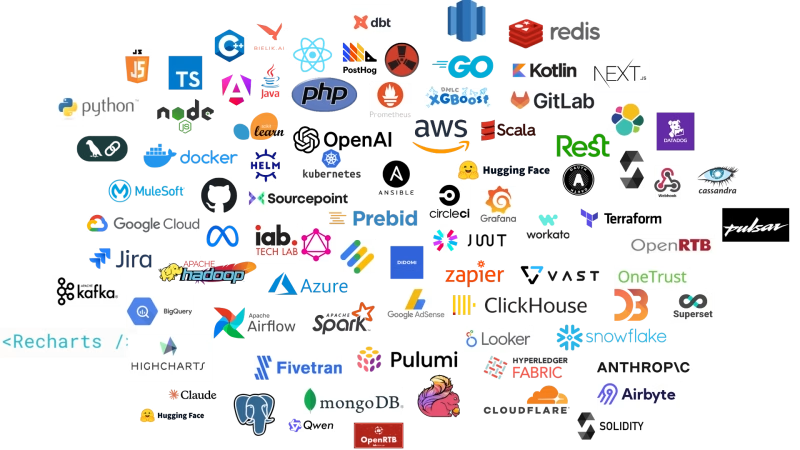
Most agency websites answer “what do you work with?” with a wall of logos. Ours did too. So here is the same wall, written out.


Article partially generated by artificial intelligence.
cXML is the language SAP Business Network, formerly Ariba Network, uses to move purchase orders, order confirmations, ship notices and invoices between buyers and suppliers without anyone retyping them. If your company supplies a large buyer that runs SAP Ariba, your ERP or middleware may already use it, and a single quarterly release can quietly break it. This guide explains how it works, what SAP Business Network releases change, and seven proven steps to keep your integration running.
Key takeaways:
cXML (commerce eXtensible Markup Language) is an open, XML-based protocol for business-to-business e-commerce. Ariba introduced it in 1999, and the specification and DTD files are published at the official cXML site. Every cXML document follows a Document Type Definition (DTD), a formal description of which elements and attributes a document may contain and in what order. When a buyer’s procurement system sends an order, the supplier’s system reads the XML, checks it against the DTD and turns it into a sales order in its own ERP.
The documents suppliers meet most often on SAP Business Network are:
Each document starts with a DOCTYPE line that points to a specific DTD version, such as http://xml.cxml.org/schemas/cXML/1.2.072/cXML.dtd, and a header with the sender’s and receiver’s credentials. That version number is what matters when SAP announces a new release.
A supplier can work with SAP Business Network in three ways. The choice depends on order volume, the number of buyers on the network and the systems the supplier already runs.
| Option | How it works | Best for |
|---|---|---|
| Ariba supplier portal | Staff log in and process orders and invoices by hand in the browser. | Low volumes and one or two buyers. |
| cXML integration | The ERP or middleware exchanges cXML documents automatically over HTTPS. | Medium to high volumes, punchout catalogs, several buyers. |
| EDI | ANSI X12 or EDIFACT messages are exchanged through SAP Business Network’s EDI support. | Suppliers already running EDI with other customers. |
Most suppliers start in the Ariba supplier portal. Once a buyer sends dozens of orders a week, manual entry becomes slow and error-prone, and the supplier moves to an automated integration. From that moment, SAP’s release calendar becomes part of the supplier’s IT calendar too.
SAP Business Network releases are named after the year and month: 2602, 2605, 2608 and 2611 for 2026. The 2611 release is planned for Friday, 13 November 2026, starting at 5:00 pm Pacific Time, and SAP says it requires no downtime. With it, SAP Business Network will support DTD version 1.2.072, and a pre-release version of the DTD is available in advance for organisations that cache the DTD locally. Release materials are collected in the SAP Business Network Supplier Readiness Portal.
The previous cycle shows the pattern to expect. DTD 1.2.071 was supported from the 2605 release, and the pre-release notes for cXML 1.2.071 state that it became required for SAP Business Network for Procurement, Supply Chain and Trading Partners at the 2608 release. If SAP follows the same pattern, version 1.2.072 will become required in a later release. Check the readiness portal for the actual date rather than assuming it.
“Required” matters because buyers and the network may start sending documents that use elements or attribute values introduced in the new DTD. A supplier system that validates strictly against an older DTD stored on its own server can then reject documents that are perfectly valid.
In our experience with inherited integrations, failures after a release rarely come from SAP itself. They come from assumptions built into the supplier’s side of the connection:
The last one is usually the most expensive. An invoice that never reaches SAP Business Network is an invoice that does not get paid on time.
None of these steps is complex. The integrations that fail are usually the ones where nobody owns them anymore: the developer who built them has left, the middleware vendor has changed and the documentation lives in someone’s old inbox.
cXML and EDI solve the same problem with different tools. cXML is XML over HTTPS, readable by developers and native to SAP Business Network, which makes it the natural choice for punchout catalogs and for suppliers whose first big buyer is on SAP Ariba. EDI standards such as ANSI X12 and EDIFACT are older, very widespread in retail, automotive and logistics, and usually run through an EDI provider.
If you already exchange EDI with most of your customers, adding SAP Business Network through EDI keeps one set of tools. If SAP Business Network is your main channel, or buyers want punchout, cXML is usually simpler to build and maintain. In both cases the same rule applies: someone has to own the integration and test it when the network changes.
A punchout catalog lets a buyer’s employee leave their procurement system, shop in the supplier’s own web catalog with negotiated prices, and return the cart to the procurement system for approval. Behind the scenes, this runs on cXML: a PunchOutSetupRequest opens the session and a PunchOutOrderMessage sends the cart back.
For suppliers, punchout is often what wins or keeps a large account, because buyers prefer catalogs that are always up to date. It is also the most fragile part of the integration, since it touches the supplier’s web shop, pricing and the buyer’s configuration at once. Test it first after every release.
Sanddev builds and maintains integrations between ERP systems, web shops and platforms such as SAP Business Network. We map existing document flows, update DTD handling, build punchout catalogs and set up monitoring, so a quarterly release becomes a checklist instead of an incident. See how our integration and advisory work is organised. If the integration was built by a vendor who is no longer around, we can also take over an integration nobody fully understands and document it before the next release.
cXML (commerce eXtensible Markup Language) is the XML-based protocol SAP Business Network, formerly Ariba Network, uses to exchange purchase orders, confirmations, ship notices, invoices and punchout catalog sessions between buyers and suppliers automatically.
The 2611 release, planned for 13 November 2026, requires no downtime and adds support for cXML DTD 1.2.072. Suppliers using only the portal need no action. Suppliers with direct integrations, especially those caching the DTD locally, should test with the pre-release DTD.
SAP announces this in the Supplier Readiness Portal. In the previous cycle, cXML DTD 1.2.071 was supported from the 2605 release and became required at the 2608 release, so a similar step for 1.2.072 in a later release is likely.
cXML is an XML protocol sent over HTTPS and native to SAP Business Network, well suited to punchout catalogs. EDI uses older standards such as ANSI X12 and EDIFACT and is common in retail, automotive and logistics. Both can connect a supplier to SAP Business Network.
A punchout catalog lets a buyer open the supplier’s web catalog from their procurement system, shop at negotiated prices and return the cart for approval. In SAP Business Network it runs on cXML PunchOutSetupRequest and PunchOutOrderMessage documents.
Yes. The Ariba supplier portal works well for low order volumes and few buyers. As volumes grow, manual entry becomes slow and error-prone, and most suppliers move to a cXML or EDI integration with their ERP.
Most agency websites answer “what do you work with?” with a wall of logos. Ours did too. So here is the same wall, written out.
Every migration looks easy on a whiteboard. But always something will go wrong. See 10 the most painful migration and what went wrong.

System upgrading doesn’t need to be like rewiring a plane mid-flight. See to to upgrade without the headaches.